Format code
SweetPad formats Swift files in VSCode using swift-format by default, or any other Swift formatter you point it at. Enable Format on Save and Swift files reformat themselves on every save.
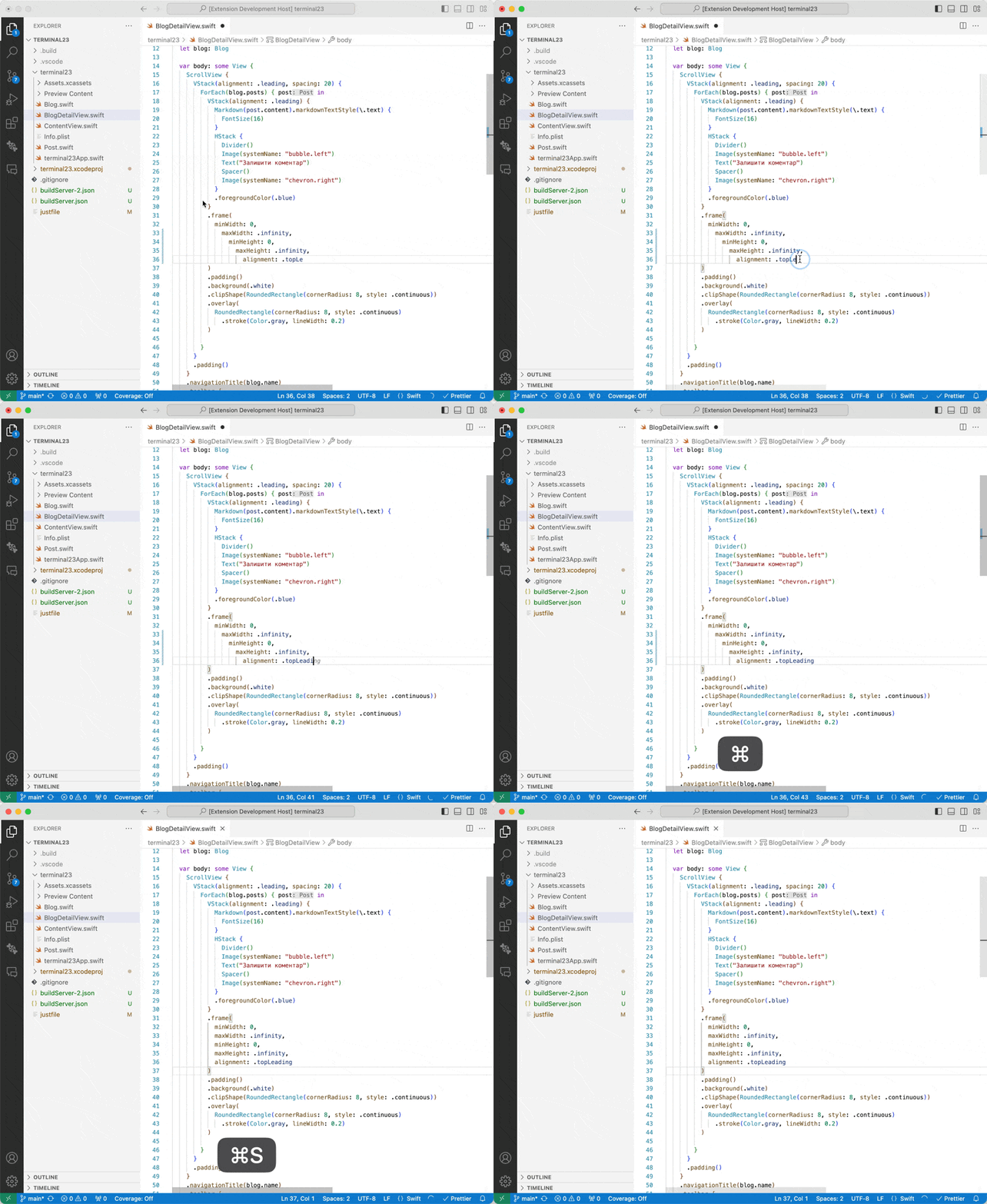
Configure the formatter
If you're on Xcode 15 or earlier, install swift-format manually first. See Install swift-format below.
Add the following to your .vscode/settings.json:
{
  "[swift]": {
    "editor.defaultFormatter": "sweetpad.sweetpad",
    "editor.formatOnSave": true
  }
}
Then open a Swift file and press ⌘S to format it 💅🏼.
🙈 If formatting fails, open the command palette (⌘⇧P), run > SweetPad: Show format logs, and check the Output
panel. If issues persist, grab the logs and open an issue on the SweetPad GitHub repository.
Which formatter to use?
By default, SweetPad uses swift-format, developed by Apple and bundled with Xcode 16 and later.
You can point SweetPad at any other formatter. For example, to use SwiftFormat:
{
  "sweetpad.format.path": "swiftformat",
  // The "--quiet" flag ignores stderr output,
  // preventing SweetPad from misinterpreting it as a failure.
  "sweetpad.format.args": ["--quiet", "${file}"]
}
To use the Homebrew-installed version of swift-format instead of Xcode's:
{
  "sweetpad.format.path": "/opt/homebrew/bin/swift-format",
  "sweetpad.format.args": ["--in-place", "${file}"]
}
Install swift-format
On Xcode 16 or later, swift-format is already bundled. Verify it's available:
xcrun --find swift-format
On Xcode 15 or earlier, install it separately via Homebrew:
brew install swift-format
By default, SweetPad uses Xcode's bundled swift-format. To use the Homebrew-installed copy, point
sweetpad.format.path at it in .vscode/settings.json.