Tools
The Tools panel in the SweetPad sidebar lists the third-party CLI tools SweetPad integrates with, installs them
via Homebrew, and links out to each one's documentation, so you don't have to remember which brew install to
run.
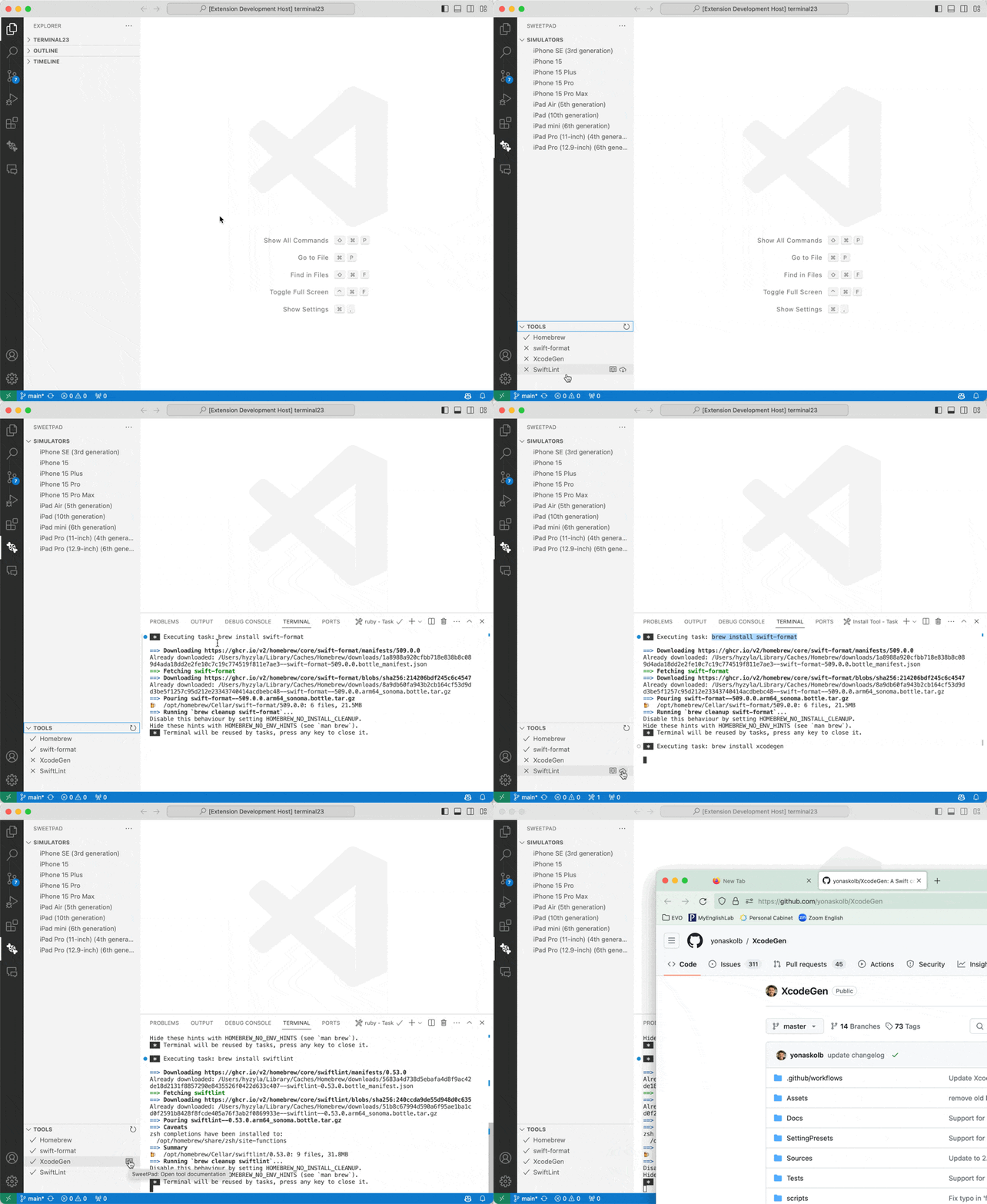
The tools listed in the panel:
- Homebrew: package manager used to install most of the others.
- swift-format: the default Swift formatter. Xcode 16+ ships it bundled; older Xcodes need a Homebrew install. See Format code.
- XcodeGen: generates
.xcodeprojfrom a YAML manifest. SweetPad has deeper integration here; see XcodeGen. - SwiftLint: Swift linter.
- xcbeautify: formats
xcodebuildoutput into something readable. - xcode-build-server: exposes Xcode's build outputs to SourceKit-LSP. An alternative to SweetPad's built-in build server, which backs autocomplete out of the box.
- ios-deploy: installs and launches apps on physical iOS devices.
- tuist: declarative Xcode project generation. SweetPad has deeper integration here; see Tuist.
tip
pymobiledevice3, used for on-device log streaming and the iOS 17+
developer tunnel, is installed via Python (uv, pipx, or pip) rather than Homebrew. Run
> SweetPad: Install pymobiledevice3 from the command palette. See Devices for details.